

Yet, one thing that you cannot avoid while living, working, or travelling in UAE is the fact that you should know your visa status in the United Arab Emirates. How to Check Visa Status in UAE should be something that is done routinely rather than as an afterthought at the airport check-in counter by residents renewing their Emirates ID, workers awaiting a new work permit, or individuals waiting for a tourist visa.
The good news is that the UAE has created one of the most digitised immigration systems in the region. No need to visit the agent, typing center or wait in a long line to verify the validity of your visa. In most cases, just a passport number, a few clicks, and two minutes of your time will suffice. This will guide you through each of the options available, the portal which you will need to use in your emirate and what to do if you think something isn’t correct.
Why it is important to How to Check Visa Status in UAE
Visa status check isn’t just a formality. You are directly impact on your status in the country from a legal perspective. Let’s take a look at why it is worth your attention:
- Staying out of trouble with fines for overstaying your visa – the UAE fines for overstaying visas per day and these can really mount up.
- Avoid disruptions to your travel (for example at the airport, airlines and immigration officers will not let you board or enter the country if your visa has expired).
- Work and bank accounts — an expired or cancelled visa may limit your employment or bank account opening possibilities.
- Checking pending applications: If you have applied for a new visa, visa renewal or visa status change recently, it is important to monitor the progress so that you can plan travel and documents around the expected time of visa approval.
- Taking care of sponsored family members – the visa validity is the responsibility of the sponsor too and if it is not valid, it may not only be a problem for the person holding the visa but also the sponsor.
Generally, who should check UAE Visa Status?
This is not just for those living in the area for the long term. There are multiple groups that are regularly required to check their status:
- Familiarisation with the relevant employment and work visa expatriate requirements.
- Family members who are on a dependent or sponsored visa.
- Tourists and visit visa holders declaring out dates.
- Persons holding a UAE entry permit to search for jobs.
- Investors and entrepreneurs with Golden Visa and Green Visa.
- Domestic helpers and their sponsoring households.
- The visa is issued under the trade license, which is kept by business owners.
Let’s understand the Two Main UAE Visa Authorities First
Before searching anything online, it is beneficial to know which government issued your visa as the UAE has two systems:
ICP (Federal Authority for Identity, Citizenship, Customs & Port Security)
This is a federal authority that deals with visa and residency issues in Abu Dhabi, Sharjah, Ajman, Umm Al Quwain, Ras Al Khaimah and Fujairah. ICP’s Smart Services platform is your one-stop shop if you have a visa stamped in or issued by any of the following emirates.
GDRFA Dubai (General Directorate of Residency and Foreigners Affairs)
Dubai has its own residency authority that is independent of the ICP system. If the visa/entry permit/residency was processed specifically in Dubai, you will need to use the GDRFA Dubai portal instead – ICP’s system will not display Dubai-issued visas/entry permits/residencies.
Mixing these up is the No.1 most frequent error people make in trying to find their visa information online, therefore checking the emirate under which the visa was issued is a big help in avoiding frustration.
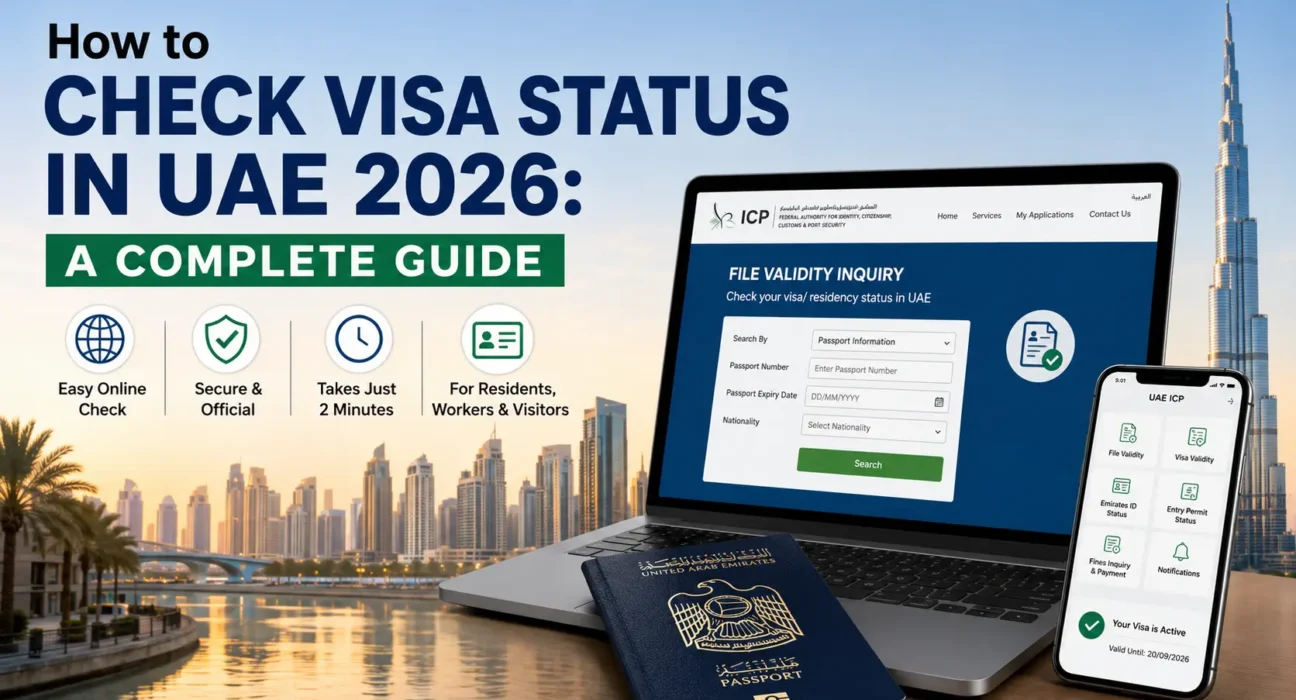
How to Check Visa Status in UAE via ICP Smart Services (all emirates except Dubai)
This is the major way for people with visas outside Dubai.
Step 1: Open the ICP Smart Services portal
Visit the ICP Smart Services site on the ICP official website (smartservices.icp.gov.ae) and not a third party website. Only government-run platforms have access to live immigration records in a safe manner.
Step 2: Visit File Validity
Look for “Public Services” and choose the “File Validity” or “File Validity Inquiry” option which is the particular tool for checking visa and residency status.
Step 3: Choose your search method
You’ll usually be given a choice between:
- Passport search
- Search using the file number (mentioned on your visa sticker or e-visa)
- Search based upon the Unified ID (UID)/Emirates ID Number
Step 4: Select the correct category
Select Visa” if you are checking an entry permit or a visit visa or “Residency” if checking a residence visa.
Step 5: Fill in your information
Based on the selected option, type in your passport number, your passport expiration date, your nationality or your date of birth as per your documents.
Step 6: Fill out the captcha and search
Tick the verification checkbox and click on search. Your answer will show up in a few seconds.
Step 7: Carefully read your result
Your visa type, issue date, expiry date, and current status (active, expired, or cancelled) will be shown.
How to Check Visa Status in UAE Through GDRFA Dubai
Use this method if you received a residency or entry permit in Dubai.
Step 1
Go to the official GDRFA Dubai website or their smart portal that is managed by Dubai.
Step 2
On the services menu of the site, find the status enquiry or file-validity enquiry tool.
Step 3
Type the required reference information (usually your passport number, file number, application/order number or the date you applied for your visa, depending on which inquiry tool you are using).
Step 4
Send the form to get the status of the visa, whether it has been issued, is pending or expired.
The GDRFA Dubai smartphone app is also available to Dubai residents that performs most of the functions found on the web portal but is useful for quick reference when away from home.
The UAEICP Mobile App can be used in the following ways:
Download the official UAEICP app (Android & iOS) for a more mobile-friendly experience. After signing up for your Emirates ID or UID, you can:
- Instantly check visa and residency validity.
- Emirates ID application status check using Emirates ID application number (PRAN).
- Check entry permit and file validity information.
- Get reminder for renewals and government notifications.
- Directly pay fines from the app.
This can be helpful for those that live in the house who wish to monitor the status on a regular basis without having to log in to a web browser each time.
How is checking by Passport Number, File Number or Emirates ID different?
While these methods all retrieve the same record, it can save time to know which to use:
- Passport number + expiry date + nationality — suitable for passport holders, visitors, tourists or anyone who doesn’t have an Emirates ID card at present.
- File number — this is listed directly on your visa sticker or e-visa PDF, and is usually the quickest and most accurate approach.
- Unified ID (UID) or Emirates ID number — great for residents with an Emirates ID who do not wish to go through the hassle of finding their passport details.
If one fails, try another – sometimes a record is indexed in a different way depending on the visa processing method.
How to Check a Sponsored or Employee Visa
For a sponsor, HR manager or company PRO checking on behalf of an employee or family member, the process is similar but you will need to provide the exact details of the sponsored person’s passport or file number, not your own. A lot of companies also provide services and typing center portals like Tas-heel or Tawjeeh where they monitor employment visa application from the stage of laboring quota approval to the final stage of visa stamping via MOHRE.
Interpreting the outcome of your Visa Status application
After performing a search, you will either see one of these results:
- Active/Valid — your visa is currently valid, please see the valid date indicated.
- Expired — the visa is no longer valid, renewal/exit required and penalties for overstay may already be in accrual.
- The visa is cancelled (terminated) and is typically associated with job termination, sponsor cancellation and visa cancellation processing.
- Process — new application, renewal, or change of status is still being considered; no action required unless more paperwork is requested.
- Not Found — this means the information provided does not match the information recorded or the visa was issued by the authority of another emirate to which you performed a search.
If your UAE Visa has expired, what do you do?
Finding an expired visa can be a stressful situation, but the UAE provides answers on how to deal with it:
- Make sure you verify the overstay period (the number of days will be significant in calculations).
- Be aware of the grace period — depending on the type of visa that you have, there is a short grace period that is enforced, after which fines begin to apply.
- Pay any outstanding fines via ICP Smart Services, GDRFA Dubai or the respective mobile applications before applying for renewal/exit.
- Renew or apply for a new visa ASAP (if you are eligible to renew on your own, if not, through your sponsor/employer).
- If the process sounds complicated, see a typing center or PRO — licensed intermediaries can type documents for a fee.
A fast action will limit the financial penalty and also the possibilities of a travel ban.
Common Errors People Make While Checking Visa Status
- Checking ICP for a visa issued from Dubai (or vice versa) and assuming that there is no record on ICP.
- Filling out an old passport number upon a passport renewal.
- Search failures due to mismatching date formats.
- Accessing unofficial third party sites that appear to be government sites – always check the URL is a government domain name.
- Failing to do the captcha step, thus preventing the search from being processed.
Other options for checking visa status
You can also do this if you cannot access the online portals or prefer to have human assistance:
- Contact ICP / GDRFA Dubai’s official helpline to manually check the status.
- Go to an Amer service center (Dubai) or typing center which is authorized by ICP.
- Request your company’s PRO or HR to check the status via access at their company’s portal.
- Get immediate printouts from kiosks at certain government service centers.
How to Stay Visa Free in UAE – Some Practical Tips
- Create a reminder for the calendar 30-60 days before your visa expiration time.
- Store a digital copy of your visa sticker, file number and passport information safely.
- Re-check status immediately after submission of renewal / amendment.
- Update the visa records as soon as you change the passport, otherwise there will be mismatching information.
- Create a basic tracking sheet of all dependents and employees’ expiry dates for sponsors.
Conclusion – How to Check Visa Status in UAE
Once you know which government platform is relevant to your situation, you can check your visa status in UAE on your own; it is quick, free, and easy. ICP Smart Services applies to Abu Dhabi, Sharjah, Ajman, Umm Al Quwain, Ras Al Khaimah and Fujairah and GDRFA Dubai applies to Dubai issued visas. Taking a two-minute search whether it be by passport number, file number or Emirates ID, helps to avoid fines, travel disruptions and legal complications in the long run. Do not just do this one time, make it a habit.
Frequently Asked Questions
1. How to Check Visa Status in UAE status passport number?
Go to the official ICP Smart Services site (Dubai visas: GDRFA Dubai) and use ‘passport information’ as the search method, the passport number, expiry date and nationality and complete the captcha to see the results.
2. What portal to use – ICP or GDRFA Dubai?
If issued in Abu Dhabi, Sharjah, Ajman, Umm Al Quwain, Ras Al Khaimah or Fujairah, use ICP Smart Services. Apply for GDRFA Dubai in case of visa issued exclusively in Dubai.
3. How to Check Visa Status in UAE without Emirates ID?
Yes. Search by passport number and expiry date can be used, rather than Emirates ID or UID.
4. Does the Embassy have an application to see the status of the visa?
Yes, there is an official UAEICP app for federal visas and an application for the GDRFA Dubai visas.
5. In my visa status result, what is the meaning of the term ‘under process’?
This indicates your application (or renewal) is still under review by immigration authorities and you do not need to take any further steps unless you are requested to provide more documents.
6. When will I know my visa has expired?
The result of the status will clearly show you “Expired” and the last valid date of the visa, which you can find out the overstay period from.
7. What to do in case my UAE visas have expired?
Overstay fines start to be paid from the day after overstay, but it may be a short grace period, depending on the visa type. The problem will be resolved by renewal or formal exit.
8. Is it possible for a sponsor to verify the status of an employee/dependent’s visa?
Yes, the status of the sponsored individual can be verified by the Sponsor/Employer via the same ICP or GDRFA portals using the passport or file number of the sponsored individual.
9. Why don’t I have visa details on-line?
The most frequently cited are the use of the wrong portal for your issuing emirate, outdated passport information, or information mismatch due to a recent passport renewal.
10. Is it safe to How to Check Visa Status in UAE on third party websites?
No — never use unofficial government websites (ICP Smart Services or GDRFA Dubai) as the information on visas is sensitive and private, and should not be submitted to unofficial websites.
Read Another Topic: How Do I Track My UAE Visa Application Status? | Step by Step