


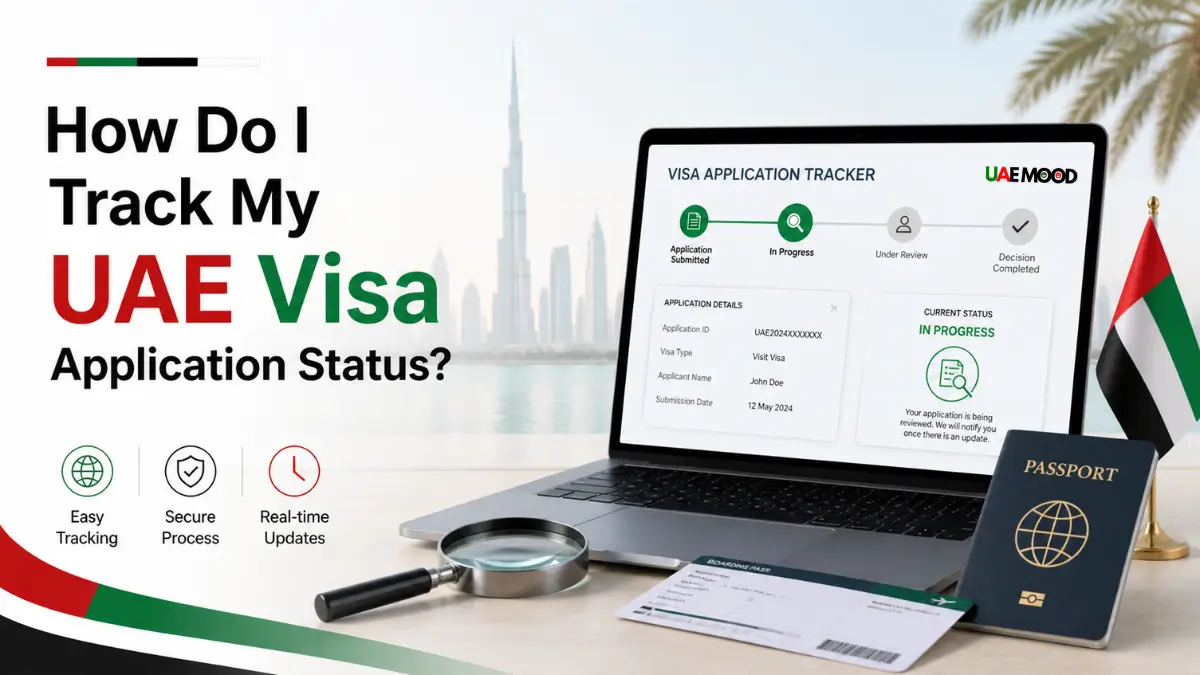
Tracking a UAE visa application takes two minutes. Use the application number on the same portal where the application was submitted. The current status appears on screen. No phone calls needed. No emails to send.
Every visa application gets a tracking number at submission. Keep that number safe. Type it into the portal. The system shows exactly where the application stands.
This guide walks through each tracking step. From the moment of submission until final approval. A final visa status check confirms when everything is ready.
What Is Needed Before Starting
Two things only.
- The application reference number
- The passport number used in the application
Some portals also ask for nationality. Have that ready too.
Without the application number, tracking is still possible using just the passport number. But the application number gives faster and more accurate results.
Step One: Go Back to the Correct Portal
Tracking must happen on the same platform used for the application.
ICP website applications: smartservices.icp.gov.ae
GDRFA Dubai applications: gdrfad.gov.ae
Airline or agent applications: Use that airline tracking page or ICP with passport number
Wrong portal equals no result. An ICP application cannot be tracked on GDRFA. A GDRFA application cannot be tracked on ICP.
Step Two: Find the Tracking Section
Each portal names the tracking feature differently.
On ICP look for:
- Application Tracking
- Visa Status Inquiry
- Entry Permit Status
On GDRFA, look for:
- Visa Status Inquiry
- Application Status
- Request Status
On airline websites, look for:
- Manage Booking
- Visa Tracking
- Application Status
Avoid clicking “New Application” or “Apply Now.” That starts a fresh application. Look for words like Status, Track, or Inquiry.
Step Three: Enter the Information
Fill in the fields on the tracking page.
Standard fields include:
- Application number
- Passport number
- Nationality
- Date of birth (some portals)
Double check the application number before clicking search. One wrong digit returns an error.
Where to find the application number:
Check the email received after submitting the application. The number is usually at the top or bottom. Some portals show it on the confirmation screen after payment. Take a screenshot of that screen.
Step Four: Understand the Status
After clicking search, one of five statuses appears.
Submitted
The system received the application. No review yet. This status usually lasts 24 to 48 hours.
Under Processing
Immigration officers are checking documents. This is the longest stage. Processing takes 2 to 7 working days, depending on visa type and nationality.
Waiting for Documents
Something is missing. The portal shows which document is needed. Check email for details. Upload the missing document quickly.
Approved
The visa is ready. The approval email arrives within a few hours. Download the visa PDF from the portal or check the email attachment.
Rejected
The application did not pass. The reason appears on screen or in an email. Common reasons include passport validity under 6 months, wrong photo format, or previous visa violations. A rejected application needs a fresh submission.
Step Five: Take Action
Different statuses need different actions.
Submitted or Under Processing
Nothing to do except wait. Checking more than once per day does not speed things up. Once per day is enough.
Waiting for Documents
Act fast. Check email for the exact missing item. Upload it through the same portal. Processing stops until the document is provided.
Approved
Save the visa PDF on the phone. Print a copy for the airport. Verify all details are correct. Name. Passport number. Dates.
Rejected
Read the rejection reason carefully. Fix the issue. Submit a brand new application. Fees are usually not refunded.
Tracking Without the Application Number
Lost the application number? No problem.
Using ICP with just the passport number:
- Open smartservices.icp.gov.ae
- Click on Visa Status or Passport Information
- Select Visa as document type
- Leave the application number field empty
- Enter passport number and nationality
- Complete captcha
- Click search
- The system shows the visa status if already issued. For applications still processing, the passport number method may not show a detailed status.
Using GDRFA with just a passport number:
- Open gdrfad.gov.ae
- Find Visa Status Inquiry
- Enter passport number and nationality
- Complete security check
- Click inquire
- The same rule applies. Works best for issued visas. Applications in progress need the application number.
Processing Times
Times vary by visa type and season.
- Tourist visa 30 days: 2 to 3 days normal. 4 to 6 days in peak season.
- Tourist visa 60 days: 3 to 4 days normal. 5 to 7 days of peak season.
- Family Sponsorship Visas: 3 to 5 days normal. 5 to 8 days peak season.
- Work visa new: 5 to 7 days normal. 7 to 10 days peak season.
- Residency renewal: 3 to 5 days is normal. 5 to 8 days peak season.
Peak seasons are December, January, June, July, August. Major holidays like Ramadan and Eid also cause delays. Apply early during these times.
What Causes Delays
Some applications take longer than expected.
Missing documents
The most common delay. Upload everything correctly the first time. Use clear scans.
Passport under 6 months
The system flags these applications. They go to manual review. That queue is slower.
Name mismatch
The name on the application must match the passport exactly. Missing middle names or incorrect spelling trigger manual checks.
Nationality flags
Some nationalities need extra security checks. These applications always take longer. Nothing speeds them up.
Weekend submissions
Friday and Saturday nights are busiest. Submitting on Monday or Tuesday morning often gives faster processing.
Five Quick Questions
Q1: Can a visa application be tracked without the application number?
Yes. But only after the visa is issued. For active processing, the application number gives the best result.
Q2: How soon does tracking start working after submission?
The application number works immediately. Status shows Submitted within minutes of payment.
Q3: What does no record found mean?
Wrong application number. Wrong portal. Our application was never submitted successfully.
Q4: Does tracking show why a visa was rejected?
Yes. The portal shows the reason. A detailed email follows within 24 hours.
Q5: Can someone else track an application?
Yes. With the application number and passport number, anyone can check.
Final Summary
Tracking a UAE visa application takes two minutes. Go back to the portal used for submission. Find the tracking section. Enter the application number and passport number. Read the status.
Status meanings:
- Submitted or Under Processing, Wait
- Waiting for Documents, upload what is missing
- Approved, Save the visa PDF
- Rejected, read the reason and reapply
Keep the application number safe. A screenshot on the phone works well. Without it, tracking is still possible using the passport number. But that only works for visas already issued. Once approved, do a final visa status check to confirm all details before travel.
Related:
Visa on Arrival Countries for UAE Residents | Pack, Fly, Explore!
How to Extend Your UAE Visit Visa Without Leaving the Country?