


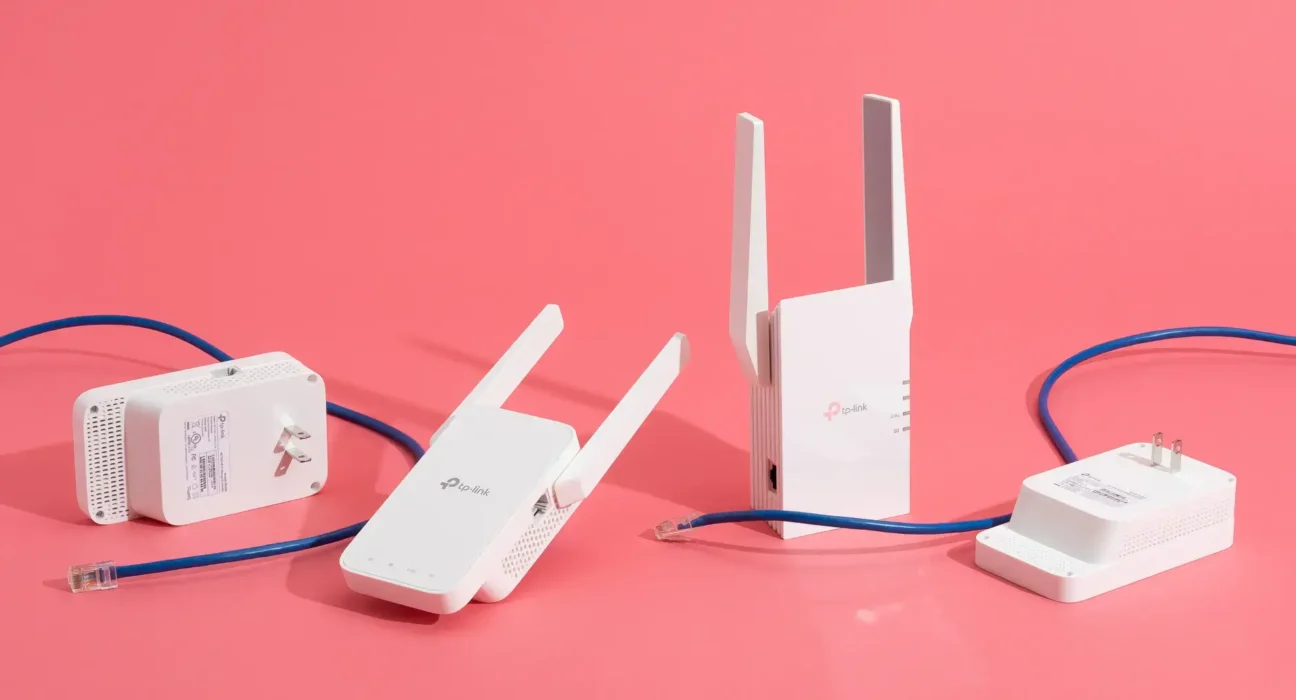
A strong and reliable Wi-Fi connection is no longer a luxury; it’s a necessity. From streaming HD videos to working from home, poor connectivity can disrupt daily routines. If your home experiences slow internet, dead zones, or inconsistent signals, a Wi-Fi extender can be a game-changer. These devices expand your router’s coverage, ensuring seamless connectivity across every corner of your home.
Here are the 10 key signs that indicate it’s time to invest in a Wi-Fi extender.
1. Persistent Dead Zones in Your Home
Dead zones are areas where your Wi-Fi signal simply disappears. Common examples include basements, bathrooms, or far corners of the house. Even a high-end router may struggle to cover certain layouts or rooms.
According to studies, 80% of homes experience at least one Wi-Fi dead zone, often caused by thick walls, large distances, or interference from appliances. A Wi-Fi extender rebroadcasts the signal to eliminate these dead spots.
2. Weak Signal Strength in Frequent Areas
Do you notice your device shows 1–2 Wi-Fi bars in the living room or bedroom? Low signal strength means slower speeds, buffering, and frequent disconnections.
Example: A user on the third floor of a two-story home may get strong Wi-Fi near the router but drops to 40–50% signal strength on the upper floor. Installing a Wi-Fi extender midway can restore full strength to upper-level rooms.
3. Constant Buffering During Streaming
Video streaming services like Netflix, YouTube, or Disney+ require a stable connection. If shows or live streams pause or lag, it’s often due to weak Wi-Fi coverage.
Streaming HD video requires at least 5 Mbps per device. If your signal is weak in certain rooms, the speed can drop below this threshold, causing interruptions.
4. Frozen or Dropped Video Calls
Working from home or attending online classes demands uninterrupted video calls. If Zoom, Microsoft Teams, or Google Meet calls freeze or drop unexpectedly, weak Wi-Fi is usually the culprit.
A Wi-Fi extender ensures your home office or study room maintains a consistent connection, reducing disruptions during meetings or lectures.
5. Large Home Size or Multi-Story Layout
Homes with multiple floors, sprawling layouts, or irregular shapes can prevent a single router from covering all areas.
The average U.S. home has grown from 1,500 sq. ft in 1970 to over 2,500 sq. ft today. A Wi-Fi extender helps spread the signal across large distances, making sure all floors get adequate coverage.
6. Slow Internet Speeds Despite High-Speed Plans
Paying for high-speed internet but getting inconsistent speeds is frustrating. Even with a 500 Mbps plan, weak signals in distant rooms can reduce actual speed to 20–50 Mbps, which is insufficient for HD streaming or online gaming.
A Wi-Fi extender boosts signal distribution, allowing you to get the speeds you are paying for across your home.
7. Thick Walls or Physical Obstructions
Concrete, brick, and metal walls are notorious for blocking Wi-Fi signals. Kitchens with metal appliances or rooms with heavy furniture can reduce your router’s effective range.
Example: If your router is in a hallway with multiple doors and walls, signals may barely reach bedrooms. Placing a Wi-Fi extender in an open hallway can overcome these physical barriers.
8. Need for Outdoor Coverage
Many homeowners want Wi-Fi access in patios, garages, or gardens. Without an extender, outdoor areas often have zero connectivity.
Tip: Position the extender close to doors or windows leading outdoors to extend your home network to outside spaces, enabling streaming, smart home controls, or online work outside.
9. Multiple Users or Devices on the Network
Households with several users, smartphones, laptops, smart TVs, and gaming consoles can overcrowd a single Wi-Fi router, causing slow speeds and intermittent connectivity.
Insight: Modern routers have limited device capacity (typically 10–15 devices efficiently). A Wi-Fi extender distributes traffic across multiple access points, ensuring consistent performance for everyone.
10. You Frequently Relocate Devices
If you move between rooms often, like streaming in the living room, gaming in the basement, or working on the balcony, you need seamless coverage.
A Wi-Fi extender acts as an intermediate bridge, keeping your devices connected without requiring you to stay near the main router.
Optimize Router Placement First
Before buying an extender, try repositioning your router. If repositioning does not solve coverage issues, consulting a WiFi technician Dubai can help identify dead zones and recommend the right extender placement for your home
Conclusion
A Wi-Fi extender is a cost-effective solution to maximize your internet coverage. It eliminates dead zones, improves speeds, supports multiple devices, and even extends connectivity outdoors. For homes with thick walls, multiple floors, or heavy internet usage, investing in a Wi-Fi extender ensures that every corner of your home stays connected.